

The reality of AI in crochet
Crochet, a craft steeped in tradition and passed down through generations, is experiencing a quiet revolution. Artificial intelligence is no longer a futuristic concept; it's actively shaping how we approach crochet patterns and projects. We're seeing a shift from relying solely on published patterns – from designers like those featured on bhookedcrochet.com with their extensive free collections – to a world where patterns can be generated on demand.
The reaction within the crochet community is, understandably, mixed. There's excitement about the creative possibilities, the potential to personalize designs, and the accessibility it offers to beginners. But there’s also anxiety. Will AI devalue the work of pattern designers? Will it lead to a homogenization of styles? These are valid concerns, and it’s important to address them.
It's crucial to understand that AI isn’t about replacing crocheters. It’s about providing a new tool, a digital assistant that can augment our creativity and help us overcome design challenges. Think of it like the transition from hand-drawn patterns to printed ones – a change in medium, not a loss of skill. Right now, the technology is still developing, and the output requires careful review and adaptation. It's a starting point, not a finished piece.
The tools available today vary significantly in their capabilities, and the quality of generated patterns can range from surprisingly good to utterly unusable. This guide aims to navigate this new landscape, offering practical advice for both beginners and experienced crocheters who are curious about exploring the world of AI-generated crochet.
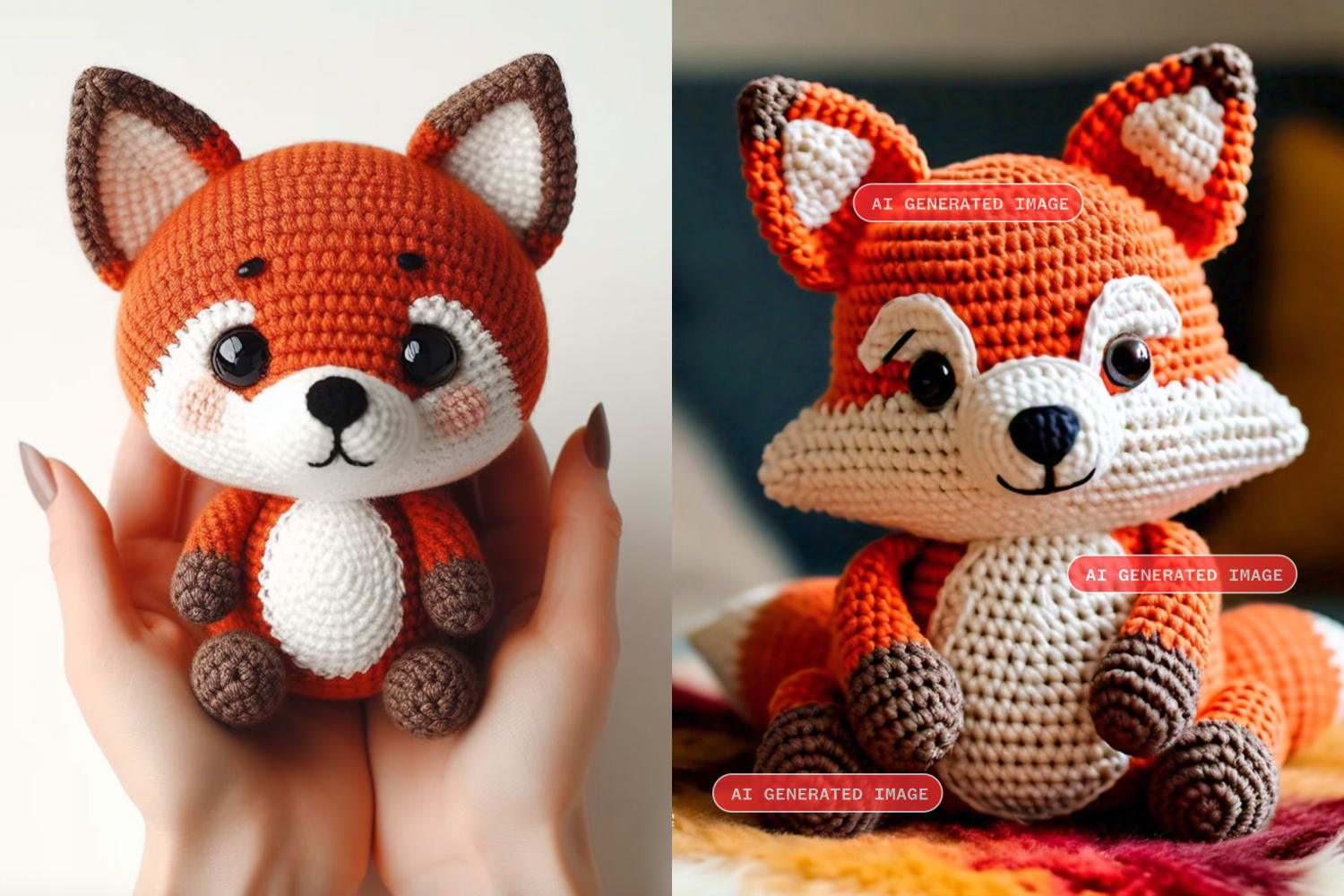
Current pattern generators
The AI crochet pattern generation space is evolving rapidly, and new tools are emerging constantly. Currently, many platforms aren’t dedicated solely to crochet; rather, crochet pattern generation is a feature within broader AI design tools. This means the focus isn’t always specifically tailored to the unique requirements of crochet.
Some tools focus on generating stitch patterns. These are great for creating unique textures or exploring variations on classic stitches. Others attempt to create full project patterns – a blanket, a hat, a sweater. These are generally more complex and often require significant editing. A few platforms also offer the ability to adapt existing patterns, for example, changing the size or yarn weight. However, the success of this adaptation varies.
Input methods also differ. Some generators rely on text prompts – you describe what you want in words. Others allow you to upload images as inspiration, and the AI attempts to create a pattern based on the visual input. The quality of the output is heavily dependent on the clarity and detail of the input. Vague prompts yield vague results. I’ve found that being extremely specific about stitch types, gauge, and desired dimensions dramatically improves the outcome.
I tested a few generators last week. One got a basic granny square right, but failed on anything with a curve. Another gave me a sweater pattern that would have resulted in three sleeves and no neck hole. I had to rewrite half the rows. While sites like Hoooked have great traditional patterns, they haven't touched AI yet. You still need to know how to read a pattern to catch these machine errors.
Pricing models are still being established. Some generators offer free trials or limited free access, while others require a subscription. Many platforms don't publish their pricing yet, and it's difficult to compare costs effectively. The focus right now seems to be on building a user base and refining the algorithms, rather than maximizing profit.
- Stitch generators for creating new textures
- Full Project Pattern Generators: Attempt to create complete patterns for items like blankets or garments.
- Pattern Adaptation Tools: Modify existing patterns based on user input.
Prompt Engineering for Crochet
The key to getting good results from AI crochet pattern generators lies in prompt engineering – the art of crafting effective instructions. Think of the AI as a very literal assistant. It will interpret your instructions exactly as you write them, so clarity and detail are paramount.
A good crochet prompt should include several key elements. First, specify the stitch type. Instead of saying “a textured stitch,” say “a puff stitch with a 5mm hook.” Second, define the gauge – stitches and rows per inch or centimeter. This is crucial for ensuring the finished project is the correct size. Third, state the desired size – e.g., “a baby blanket measuring 36x48 inches.”
Fourth, indicate the complexity – “beginner-friendly,” “intermediate,” or “advanced.” This helps the AI tailor the pattern to your skill level. Fifth, specify the yarn weight – “DK weight yarn” or “bulky weight yarn.” Finally, describe the desired aesthetic – “a floral motif,” “a geometric pattern,” or “a rustic look.”
Let’s look at an example. Ineffective prompt: “Crochet blanket pattern.” Effective prompt: “Crochet baby blanket pattern using double crochet stitch, 4 stitches and 4 rows per inch, measuring 36x48 inches, using DK weight yarn, with a simple striped design in pastel colors.” The second prompt provides far more information and will yield a much more useful result.
Fixing AI mistakes
Don't expect AI to create a perfect pattern on the first try. In most cases, the generated pattern will require some level of customization and adaptation. This is where your crocheting experience comes into play.
One common issue is errors in stitch counts or shaping. Carefully review the pattern and compare it to established crochet principles. A test swatch is absolutely essential. Crochet a small sample of the pattern to verify the gauge and ensure the stitches are working correctly. Montana State University's 'Crochet Made Easy' guide (montana.edu) is a fantastic resource for understanding basic techniques and verifying your work.
Adjusting sizing is another frequent need. AI-generated patterns may not always scale correctly. You may need to recalculate stitch counts and row numbers to achieve the desired dimensions. Adding your own creative flair is also encouraged. Use the AI-generated pattern as a starting point and embellish it with your own unique touches.
Remember, AI is a tool to assist you, not to replace your skills. It’s a collaborative process. The AI generates the initial pattern, and you, the crocheter, refine it, correct it, and make it your own.
AI and Tunisian Crochet: A Unique Challenge
Tunisian crochet, with its distinct forward and return passes, presents a unique challenge for AI pattern generators. The structure of Tunisian crochet is fundamentally different from standard crochet, and many AI algorithms struggle to grasp its intricacies.
Because Tunisian crochet builds rows differently, stitch counts and shaping are handled in a non-traditional way. The AI may generate patterns that are technically correct but don't result in the desired fabric or shape. It often misinterprets the forward pass versus the return pass, leading to errors in the pattern.
Currently, there aren't any AI tools specifically designed for Tunisian crochet. However, some general-purpose generators can produce basic Tunisian crochet patterns with limited success. The key is to provide extremely detailed prompts and be prepared for extensive editing. I found that specifying the Tunisian simple stitch consistently yielded better results than attempting more complex Tunisian variations.
The ethics of machine patterns
The rise of AI-generated crochet patterns raises important ethical questions. Copyright is a major concern. If an AI generates a pattern based on existing designs, who owns the copyright? The user? The AI developer? The original designer?
The potential impact on pattern designers is also a legitimate worry. Will AI undermine their livelihood by making patterns freely available? It's crucial to support independent designers and acknowledge their contributions to the crochet community. Consider purchasing patterns directly from designers when possible.
Transparency is key. When sharing AI-generated patterns, it’s important to clearly state that the pattern was created with the assistance of AI. This acknowledges the role of the technology and gives credit where it’s due. It also allows others to evaluate the pattern with a critical eye, knowing that it may not have been thoroughly tested.
A balanced approach is needed. AI can be a valuable tool for crocheters, but it’s important to use it responsibly and ethically. Respect the work of designers, acknowledge the role of AI, and prioritize transparency.
How to check for errors
Given that AI-generated patterns aren't always perfect, verification is essential. Don't blindly follow the instructions without carefully checking for errors.
Start by verifying the stitch counts. Ensure that the number of stitches increases or decreases correctly for the desired shaping. Pay close attention to the instructions for complex stitches or color changes. Online crochet communities, like Ravelry, are excellent resources for pattern testing and troubleshooting. You can share your progress, ask questions, and get feedback from other crocheters.
Another useful technique is to create a detailed chart of the pattern. This can help you visualize the stitches and identify any inconsistencies. Compare the chart to the written instructions to ensure they match. Look for any ambiguous language or unclear instructions.
Resources like the 'Crochet Made Easy' guide from Montana State University can help you understand the fundamental principles of crochet and identify potential errors. Don't be afraid to ask for help from experienced crocheters. A fresh pair of eyes can often spot mistakes that you might have missed.
- Verify stitch counts: Ensure they match the desired shaping.
- Create a pattern chart: Visualize the stitches and identify inconsistencies.
- Ask for a second opinion on Ravelry or Reddit
- Refer to crochet guides: Resources like Montana State University's guide can help with fundamental techniques.
No comments yet. Be the first to share your thoughts!