
Crochet meets AI: what is actually happening?

Crochet, a craft steeped in tradition and passed down through generations, is starting to meet the world of artificial intelligence. It’s a fascinating, and admittedly early, intersection. We’re seeing the first inklings of tools designed to assist crocheters, from generating patterns to offering design inspiration. It isn't about robots taking over our hooks just yet, but about exploring how AI can augment the creative process.

Most current tools focus on three things: generating basic stitch counts, picking colors, and visualizing textures. I've found that the results are often messy. A generator might tell you to increase in a spot that makes no sense, so you still need to know the basics to catch those errors.

It’s important to remember that crochet is a tactile art form. The joy comes from the process as much as the finished product. AI isn’t going to replicate that feeling

but it can open up new possibilities for those wanting to explore different designs or overcome creative hurdles. If you

re new to crochet

a solid foundation is essential. Resources like the

Crochet Made Easy

guide from Montana State University are a fantastic starting point for learning the basic stitches and techniques before diving into AI-assisted design.
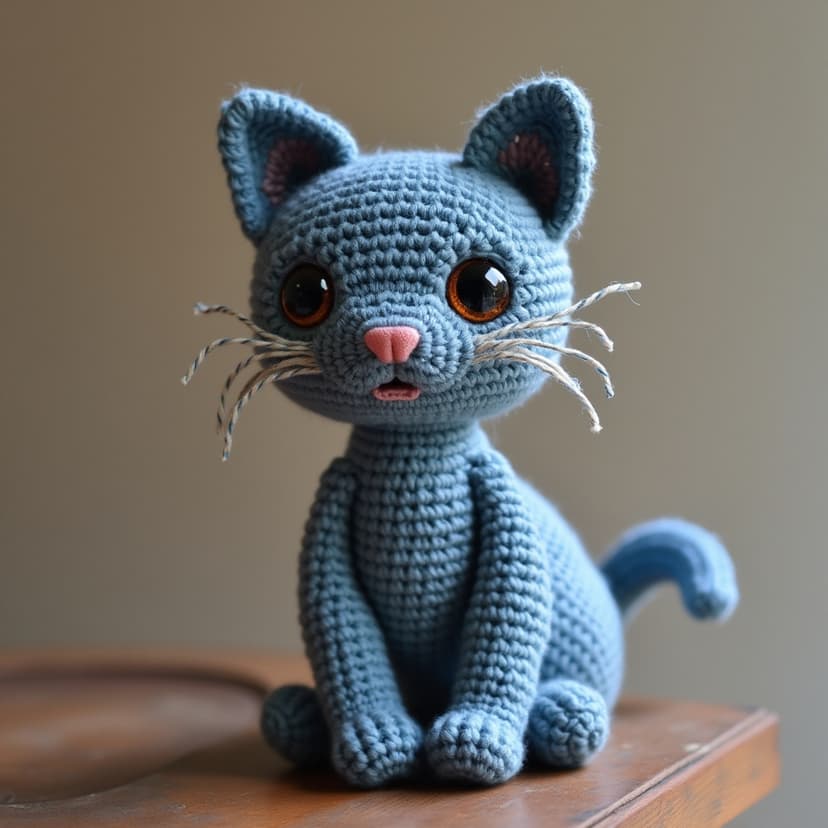
AI Crochet Patterns: Beginner's Guide & Tools for 2026

AI-Powered Crochet Pattern Generators: Complete Guide for Beginners in 2026

1
Define the Item

The foundation of a good AI-generated crochet pattern is a clear description of what you want to create. Be specific! Instead of asking for 'a blanket,' request 'a baby blanket measuring 36x48 inches.' Instead of 'a hat,' try 'a slouchy beanie with a ribbed brim.' The more detail you provide about the final product's form and dimensions, the better the AI can understand your vision. Consider including the intended use of the item – this can influence design choices.

2
Specify Skill Level

Crochet skills range from beginner to advanced. AI pattern generators need to know your experience level to create a pattern you can actually follow. Clearly state whether you are a beginner, intermediate, or advanced crocheter. If you’re new to crochet, specify 'beginner' or 'very beginner.' If you're comfortable with basic stitches but want a challenge, 'intermediate' is a good choice. More advanced requests might include specific techniques you’re familiar with, like colorwork or complex stitch patterns.

3
Choose Yarn and Hook Size

Yarn weight and hook size significantly impact the finished product. Include this information in your prompt. For example, specify 'worsted weight yarn' and 'US size H/8 (5.0 mm) crochet hook.' If you have a particular yarn in mind, mention the yarn brand and weight. The AI will use this information to calculate stitch counts and gauge. If you are unsure, stating 'suggest yarn and hook size for a warm winter hat' can prompt the AI to provide recommendations.

4
Describe Stitch Preferences

Do you have favorite stitches? Do you want a textured pattern or something smooth? Indicate your preferences! For example, you might request 'a blanket using only single crochet and half double crochet stitches' or 'a cardigan with a cable knit pattern.' You can also specify the type of edging you prefer, such as 'scalloped edge' or 'ribbed border.' If you’re unsure, you can ask the AI to incorporate a specific aesthetic, such as 'a vintage-inspired pattern' or 'a modern geometric design.'

5
Iterate and Refine

AI-generated patterns are rarely perfect on the first try. Review the generated pattern carefully. Look for inconsistencies, unclear instructions, or design elements you don't like. Don't be afraid to edit your prompt and regenerate the pattern. Add more detail, rephrase your requests, or specify what you want to change. This iterative process is key to getting a pattern that meets your needs. Consider asking the AI to 'simplify the stitch pattern' or 'increase the width of the scarf by 2 inches.'

6
Consider Gauge and Testing

Even with detailed prompts, the AI may not perfectly account for your tension. Always crochet a gauge swatch using the suggested yarn and hook size. Compare your gauge to the pattern’s gauge. If they don’t match, adjust your hook size accordingly. A small adjustment can make a big difference in the finished size and drape of your project. It’s always best to test a small section of the pattern before committing to the entire project.

AI & Crochet: FAQs for Beginners

AI-Generated Crochet Pattern Review & Troubleshooting

  • Check stitch counts throughout the pattern to ensure they align with the intended design and any provided charts or diagrams.
  • Verify the stated gauge against your own swatch. Significant discrepancies may necessitate adjusting hook size or yarn weight.
  • Test a small swatch of the pattern, working through several repeats of the core stitch pattern, before committing to a larger project.
  • Look for inconsistencies in instructions – are terms used consistently? Do row instructions logically follow previous rows?
  • Assess the clarity of written instructions. Are abbreviations defined? Is the language precise and easy to understand?
  • Examine any included charts or diagrams for accuracy and completeness. Do they correspond to the written instructions?
  • Adapt the pattern as needed. Be prepared to make adjustments to ensure the finished project meets your expectations and fits properly.
  • Consider the pattern's complexity. AI-generated patterns may struggle with intricate designs; assess if the complexity is manageable for your skill level.
You've thoroughly reviewed the AI-generated pattern! Now you're ready to confidently begin your crochet project.

Resources for Crochet & AI

  • You Get Hooked Beginner's Guide - A comprehensive starting point for learning basic crochet stitches and techniques.
  • Ravelry - A large online community for crocheters and knitters, offering patterns, forums, and project ideas. (ravelry.com)
  • LoveCrafts - An online marketplace for yarn, patterns, and crochet supplies, including beginner kits. (lovecrafts.com)
  • Crochet.com - Offers free patterns, tutorials, and articles for crocheters of all skill levels. (crochet.com)
  • PatternAssist - An AI-powered tool that allows users to generate crochet and knit patterns based on specific parameters. (patternassist.com)
  • Knit AI - A platform that utilizes artificial intelligence to create custom knitting and crochet patterns from images or text descriptions. (knitai.com)
  • Etsy - A marketplace with numerous independent designers selling unique crochet patterns, many of which may be adaptable for AI generation as inspiration. (etsy.com)
  • Reddit's r/crochet - A popular subreddit where crocheters share projects, ask questions, and discuss techniques. (reddit.com/r/crochet)